
Apollo: An Immersive Multi-device Ecosystem Case Study
The Problem
About 7% of adults in the United States suffer from an insomnia disorder, which can lead to depression and anxiety (Tompa, 2025; Kalmbach, 2018). Apollo is a smart home system that manages and optimizes the atmosphere of one’s living space to match their preferences and improve their sleep through haptics, lighting, sound, temperature, and air quality. Stress is often built up throughout the day from environmental influences and overwhelmed adults with poor sleeping habits need an immersive space to relieve any form of stress and/or exhaustion that affects them mentally and physically. Apollo aims to improve cognitive health by relieving tension from environmental stressors across different devices, creating a seamless and cozy experience in the comfort of one’s home.
My Role
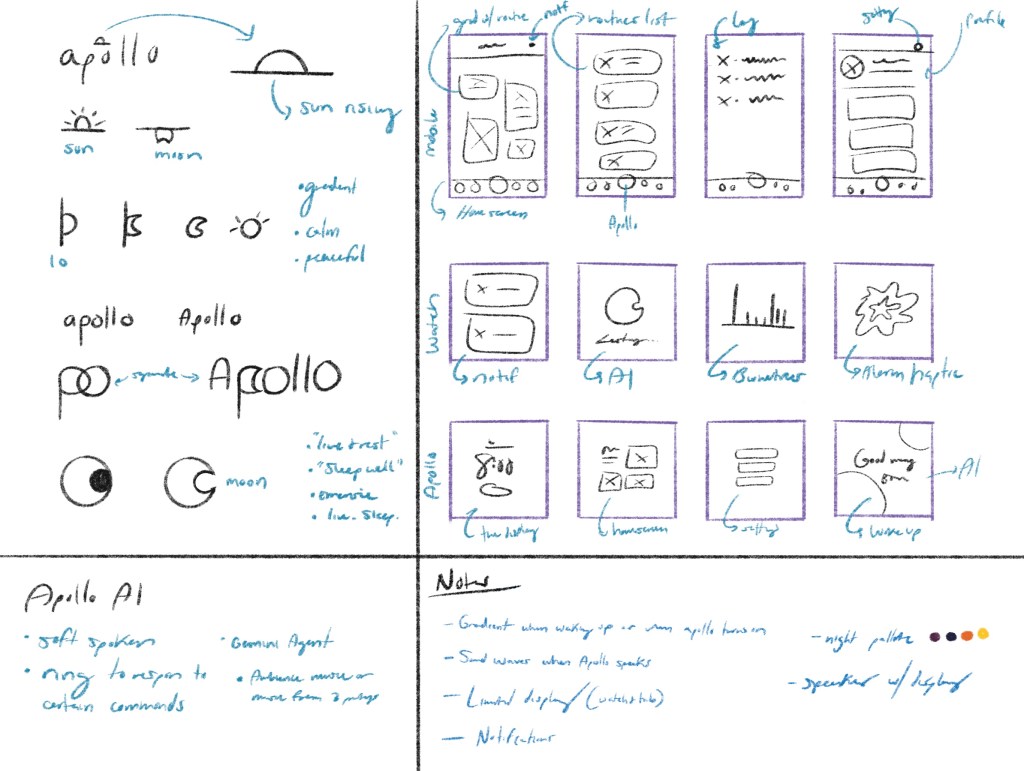
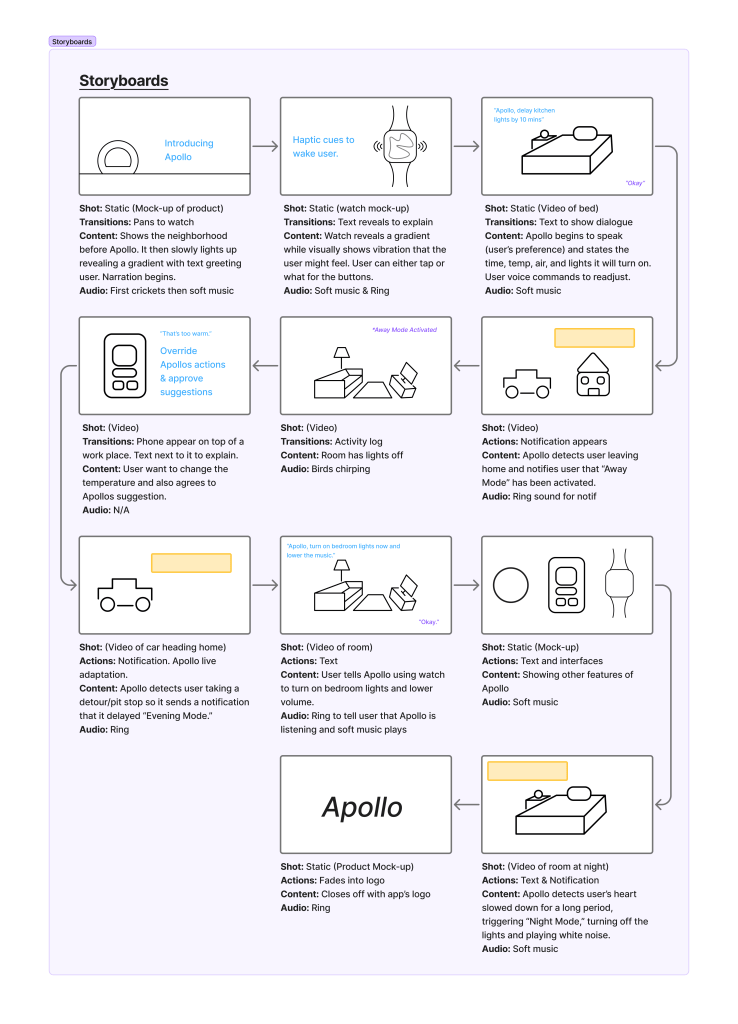
I first laid out the proposal to establish the goal and intention behind the ecosystem. Next, I created a journey map to explore the timeline of a user from purchasing the product to exploring various features across devices. I then created a small visual identity system, picked out a color palette, logo, icon, sketched wireframes for possible screen layouts, the soft and welcoming behavior of Apollo’s AI, a component table, and storyboards. Finally, I created some screens for the hub’s interface and worked in Figma, Illustrator, Photoshop, and After Effects to compose a demo of the product to bring it to life.
Process
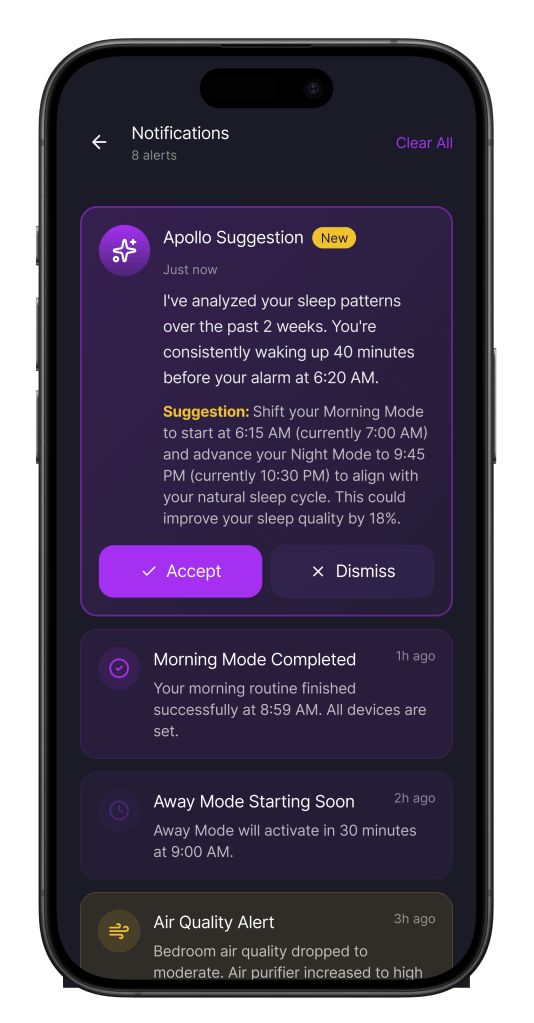
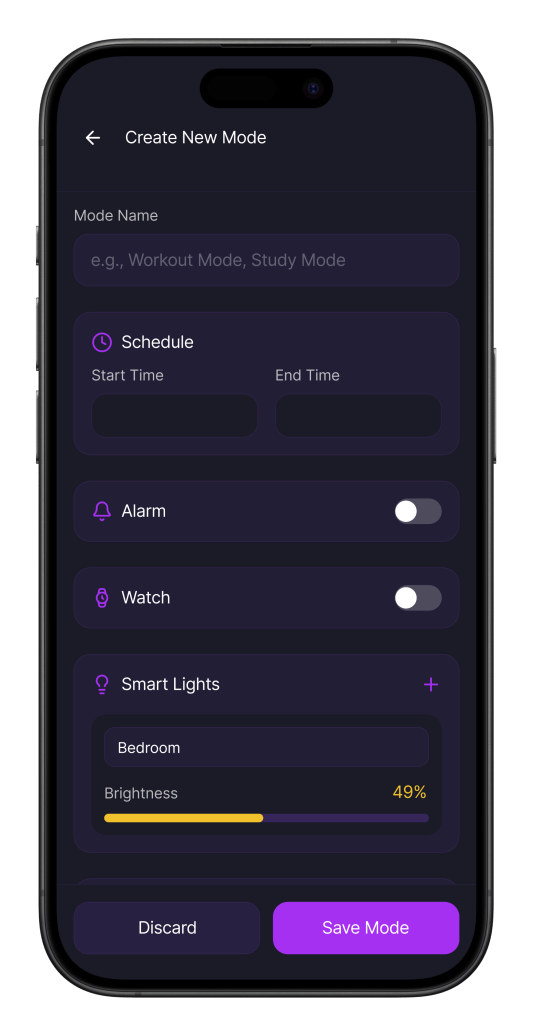
I identified opportunities through the user’s map and component table to find where devices flow, where the user can create/edit routines, override Apollo’s actions, view metrics, chat with Apollo, etc. I set boundaries by focusing on improving stress levels and sleep quality through the user’s environment. I ensured continuity, influenced by my thumbnail sketches and visual identity system, to experiment with Figma Make and create the mobile and watch interface, but I manually created the hub’s screens. I incorporated intelligence and automation through real-time adaptation in which Apollo’s AI can analyze the user’s biometrics, location, and/or the home to learn the user’s behaviors, make adjustments, and provide suggestions to reduce manual input.
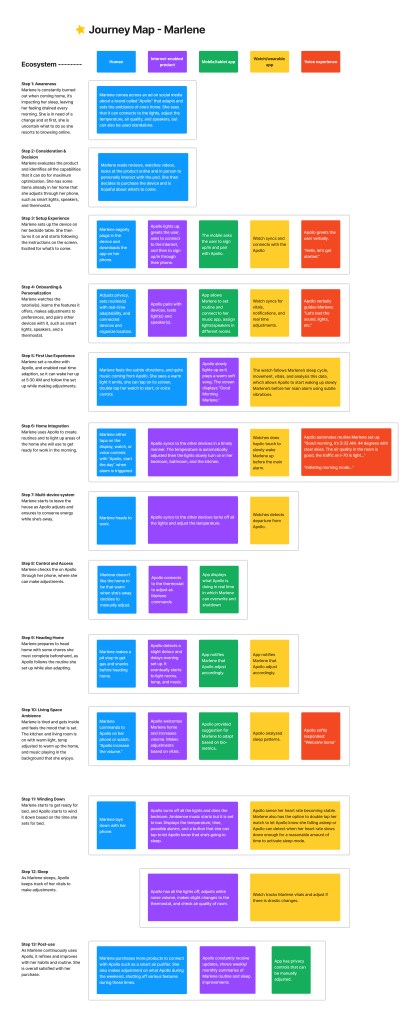
Ecosystem Journey
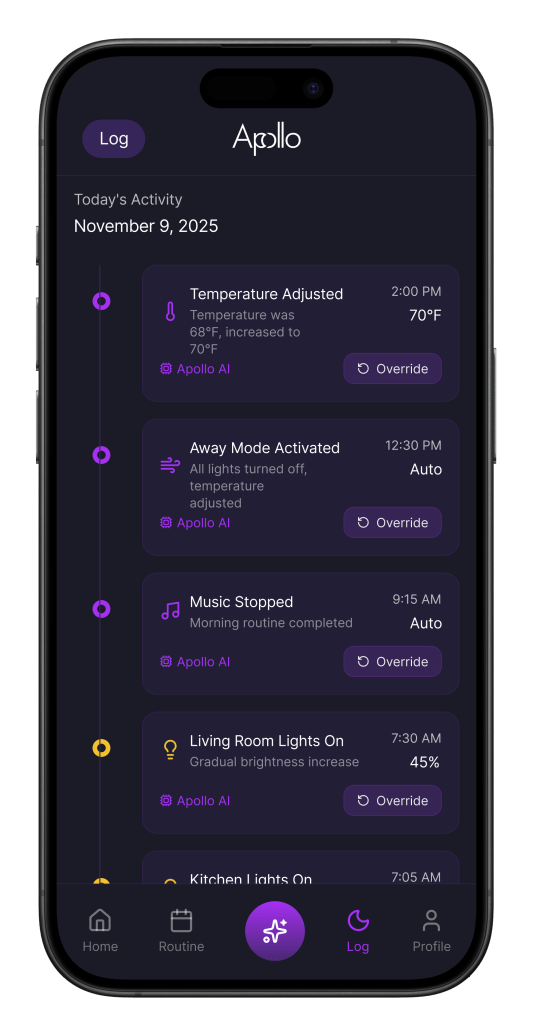
The journey begins with the awareness and consideration/decision stages to show the pain points leading to purchasing Apollo. The setup and onboarding experience starts the involvement of the ecosystem, using the mobile app to sign up and sync devices. The home integration stage shows Apollo in action, where the user is slowly awakened by the watch’s haptic/visual cues and the hub’s soft music until the morning routine is activated. Based on users’ metrics, Apollo offers suggestions, follows the scheduled routine, and makes real-time adjustments, such as starting the “Away Mode” early when it detects the user is no longer near the home. Through the control and access stage, the user is in the loop, sees Apollo’s activity, and can override any actions through mobile. Apollo can adjust connected smart devices such as lights, speakers, thermostat, and air purifiers to make the user’s environment as comfortable as possible and set the scene for a good night’s rest.
Components Overview
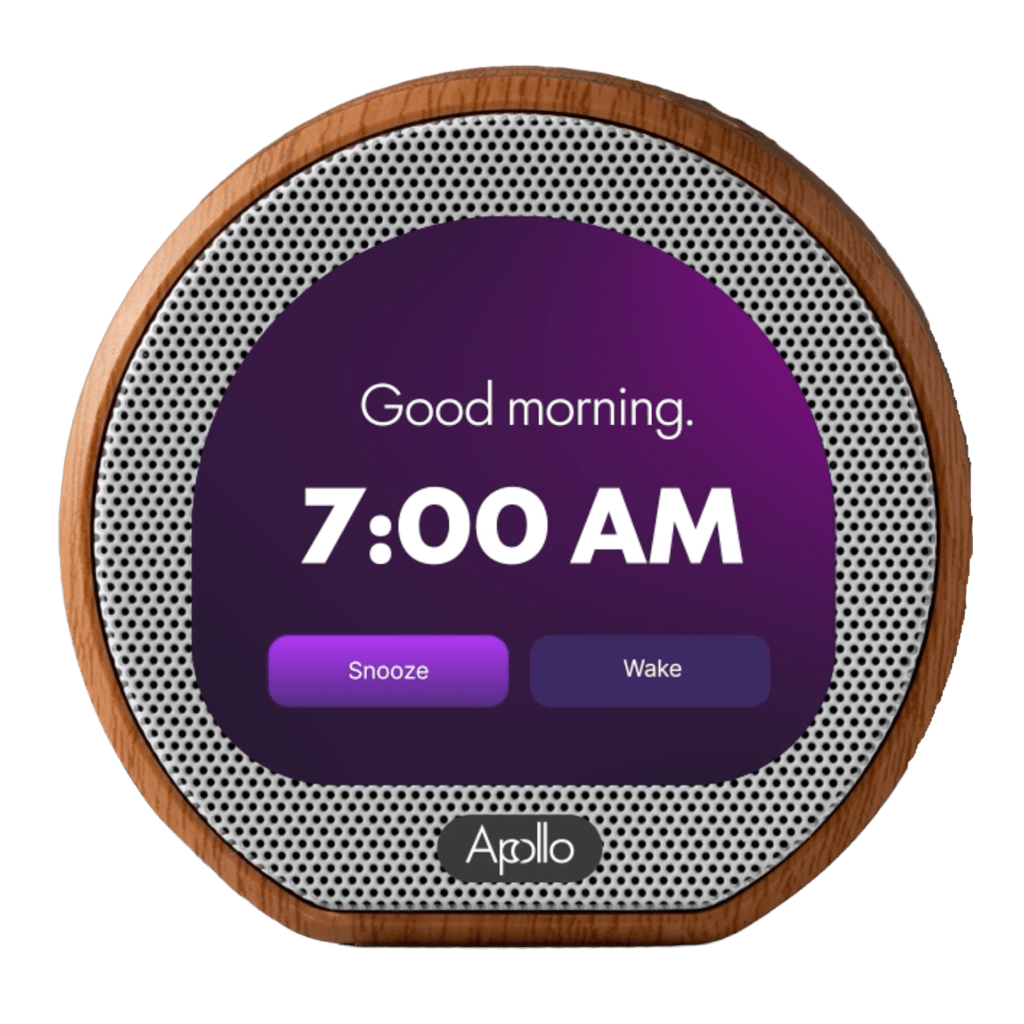
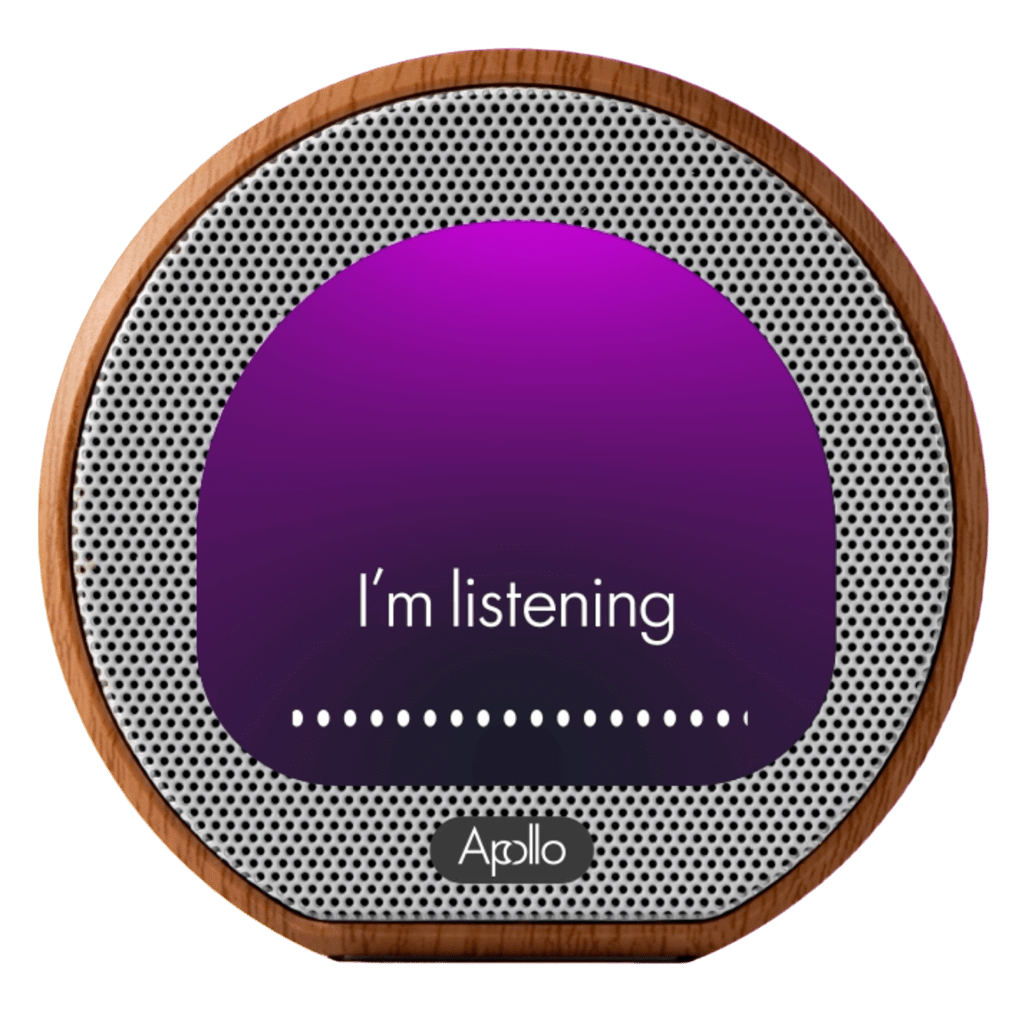
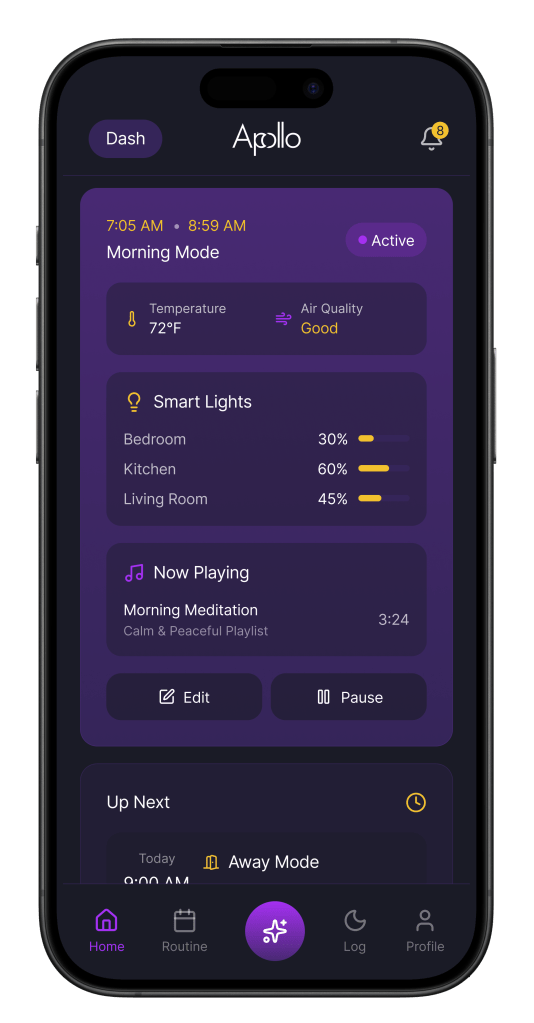
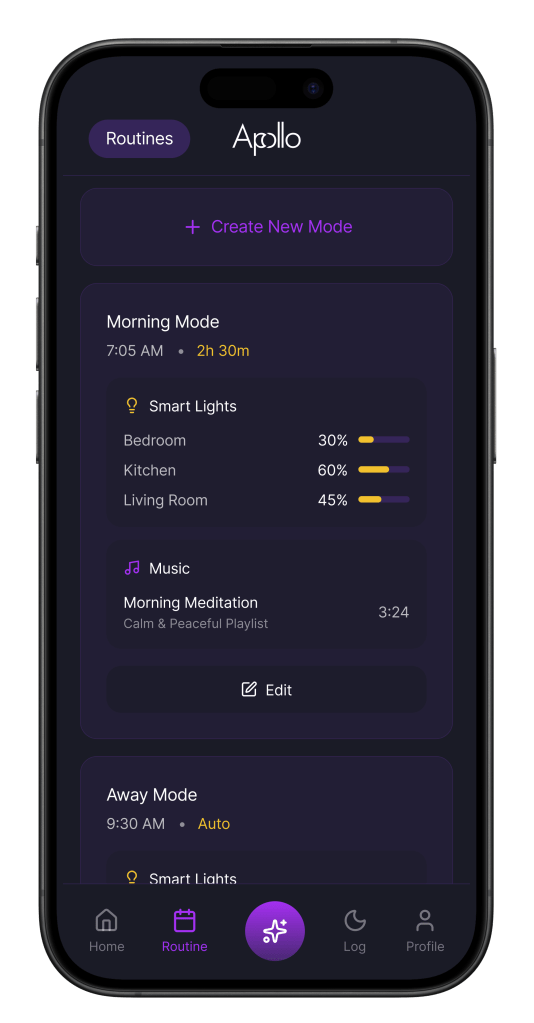
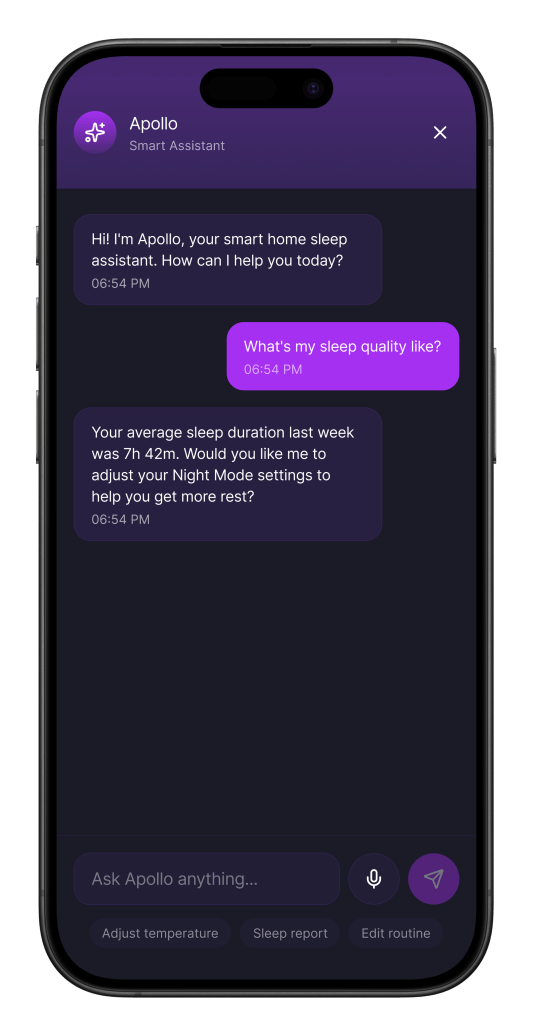
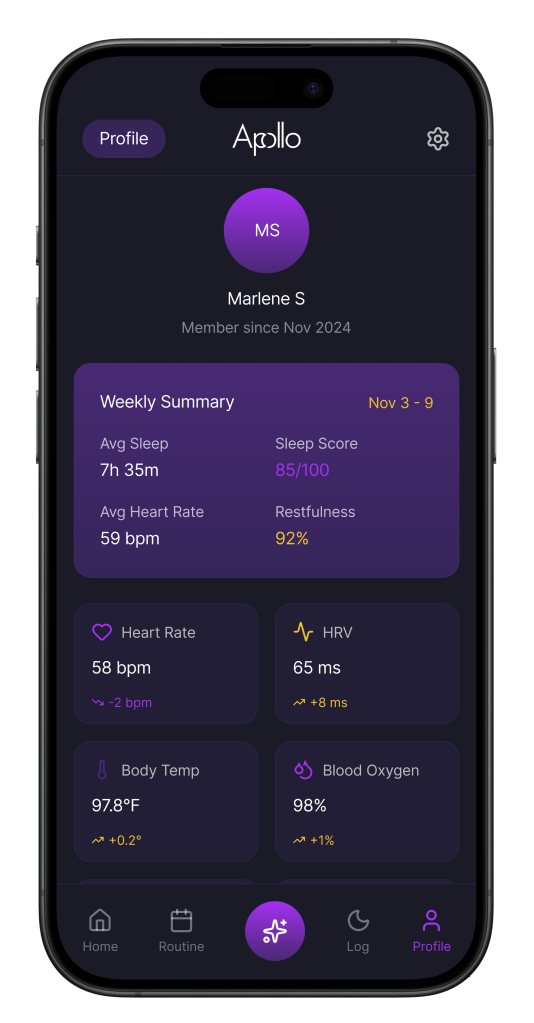
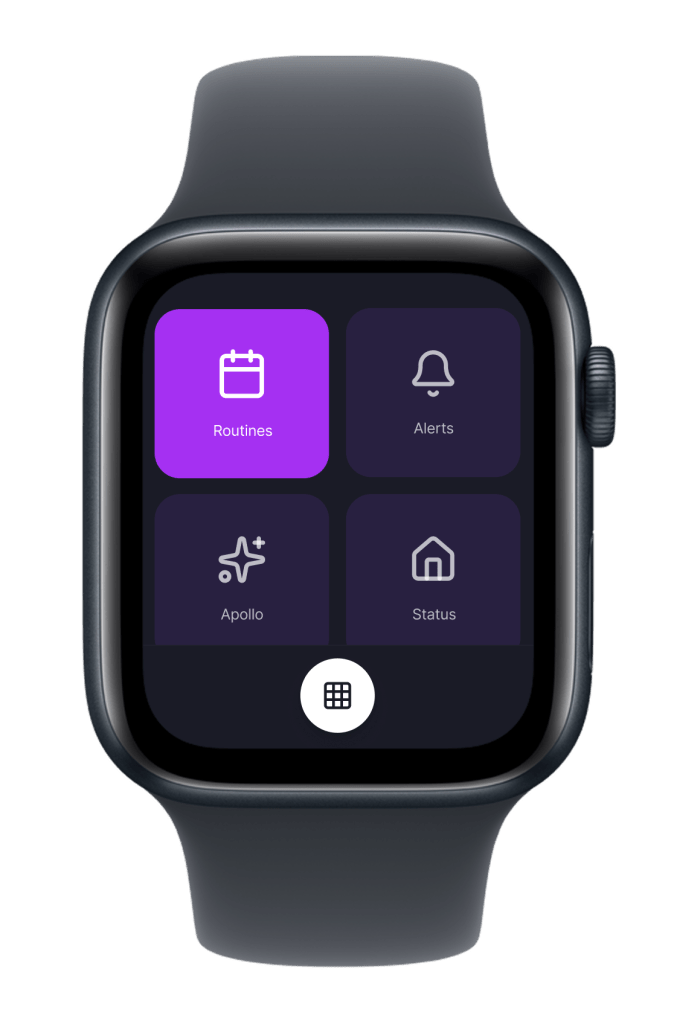
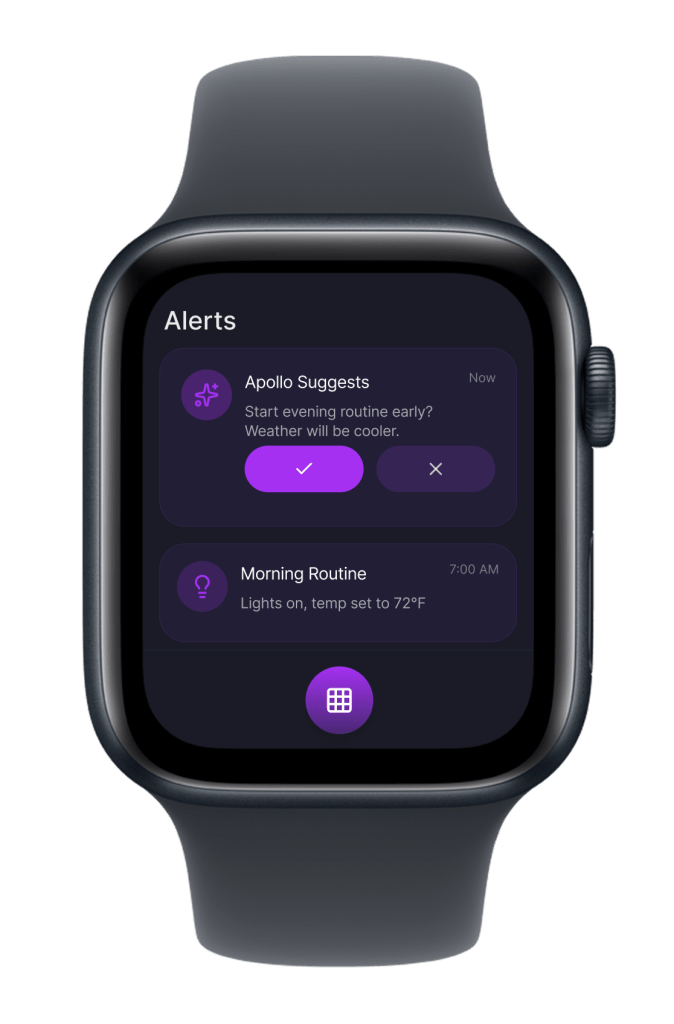
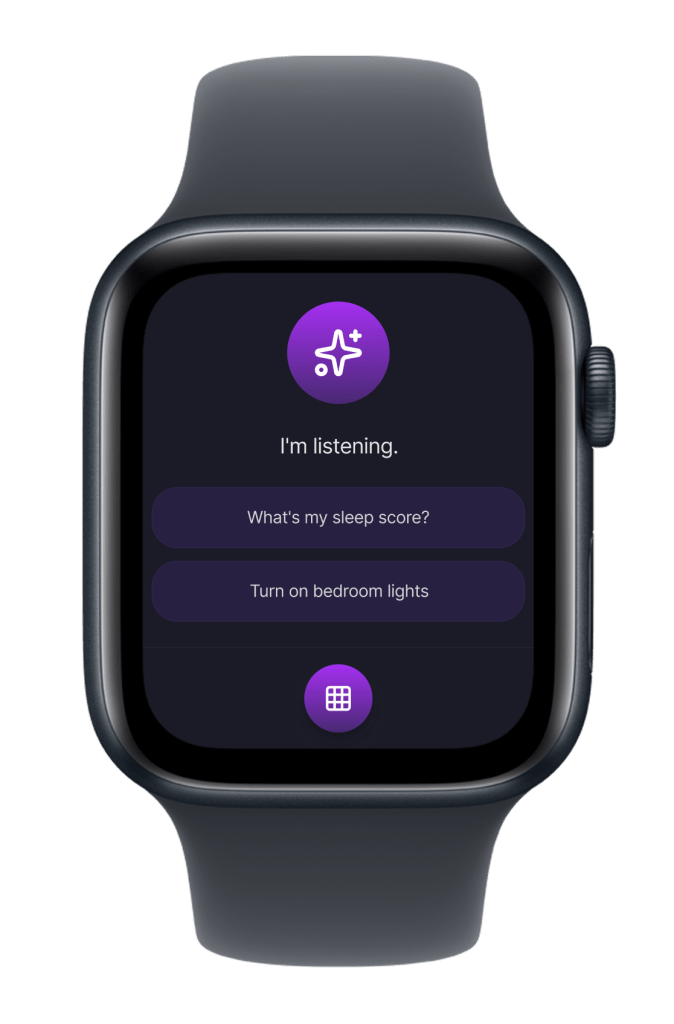
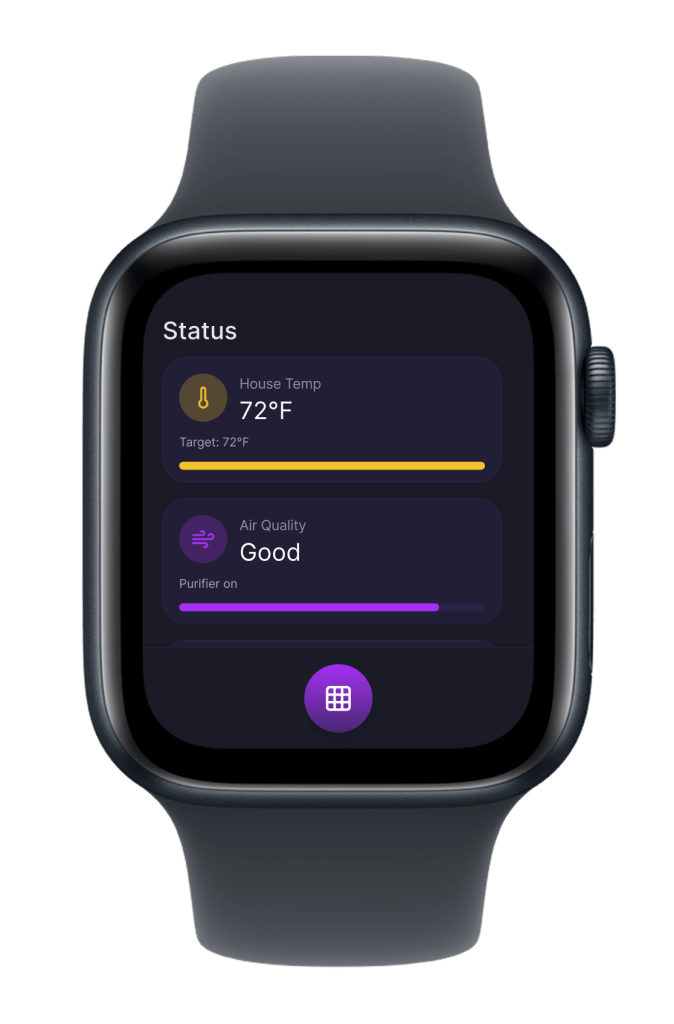
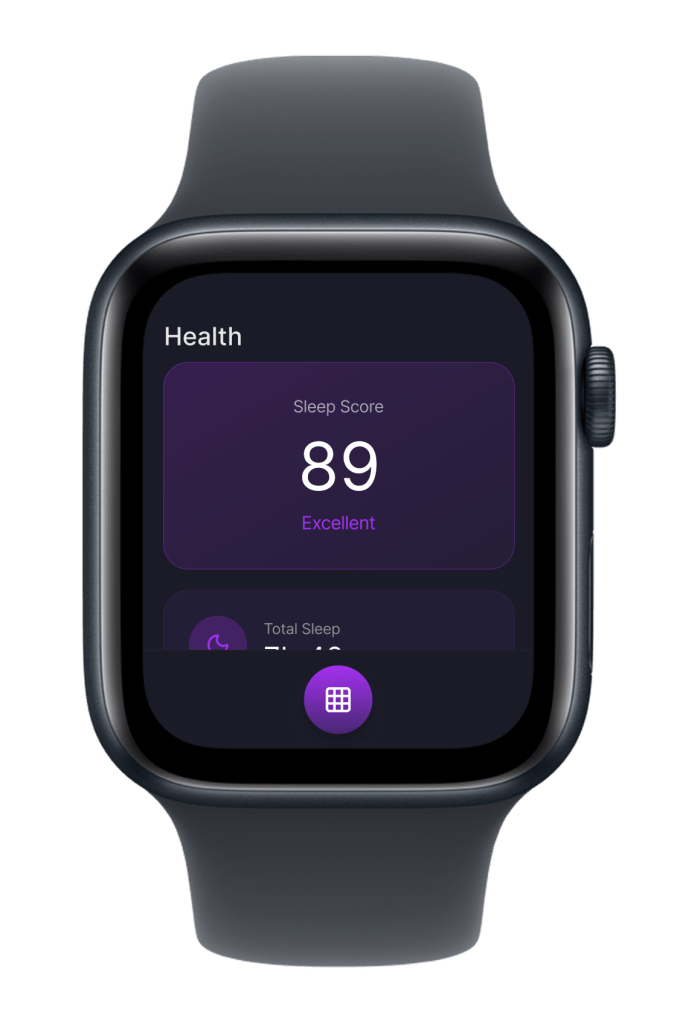
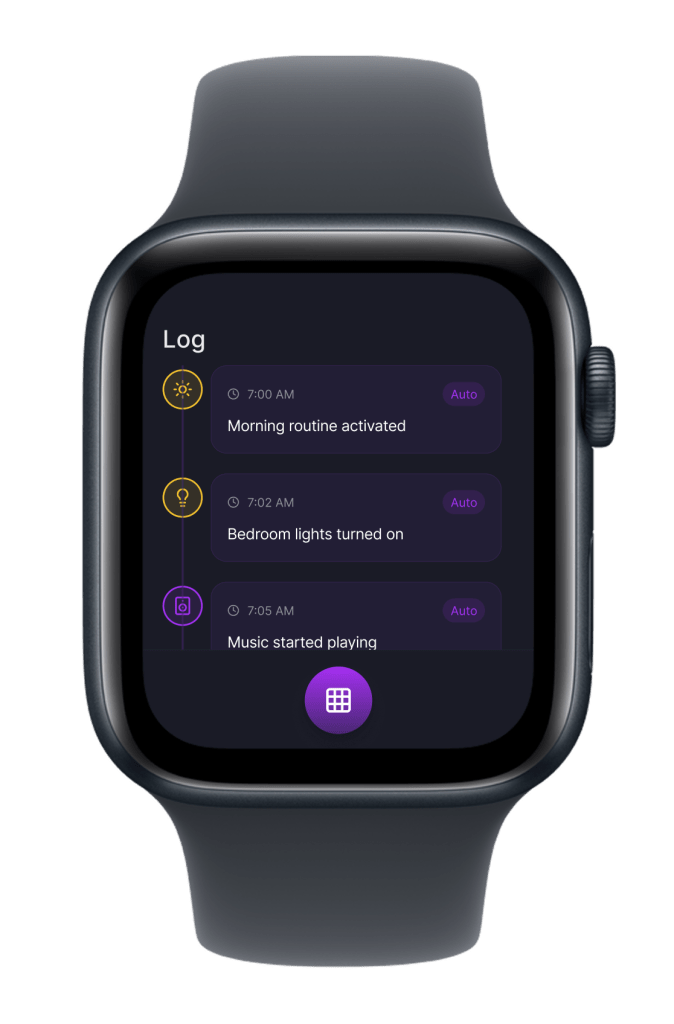
Apollo is a pod placed near the bedside of the user. It’s the central home system that can act like an alarm with a digital display, a light, a speaker, and an air quality detector integrated. By pairing with smart lights, speakers, a thermostat, and an air purifier, it can enhance and create an immersive space. The mobile allows for more in-depth control, a dashboard to view current activities and metrics, a routine section to create and edit modes, a soft-spoken AI agent system to interact with, an activity log of Apollo’s actions, a profile, and settings for privacy and additional control. The watch displays similar sections, but in a more condensed form with a greater focus on collecting users’ biometrics for Apollo to adapt and make changes to improve user sleep quality.
Components Table
| Component | Experience goal | Tech specs/requirements |
| Apollo – Hub | The Apollo hub/pod connects with mobile, watch, speaker(s), light(s), thermostat, and purifier to maximize the user’s experience, improve sleep, and cognitive health. The device alone can act as a smart alarm display, with a light and speaker system, and an air quality detector integrated, but it must have the mobile app for in-depth control. Set the mood of the user’s atmosphere through lighting, sound, air quality, and temperature to ensure the user is navigating with comfort, from getting ready for the day to sleeping through the night. The hub is designed to adapt with the user’s routine/schedule and biometrics (heart rate, sleep, location, temp, etc) to automatically adjust in real-time, predict, and personalize the user’s environment. | Size/weight: 6 inches high by 5.5 inches wide. 5.16 pounds (2.3 kg). Hub/pod: Circular pod with a rounded square touch display with a back LED light, Apollo AI Chip, Bluetooth, built-in speaker, mic, and power cable Sensors: Temperature and air quality detector Accessibility: Voice over and touch accommodations Features: Smart alarm with light and speaker, air quality detector, Apollo AI, and voice control. Requirements: Apollo app, Wi-fi, placed on a flat surface, standard AC outlet, optional support for external smart devices (light(s), speaker(s), smart thermostat, smart air purifier(s)), cross-device connectivity (mobile and watch), operating temperature (32-95°F), and humidity 5-90% RH. Line voltage: 100V to 240V AC Frequency: 50Hz to 60Hz Compatibility: IOS devices |
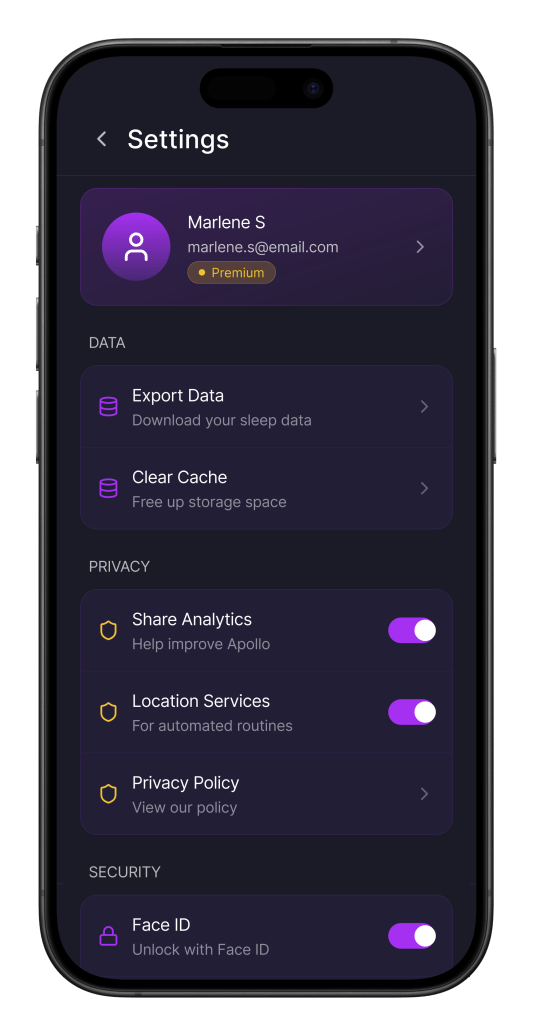
| Mobile/tablet app – control surface | The Apollo app allows the user total control from anywhere. The user can view/add/pause routines, communicate with Apollo, edit/add routines, update, and connect/disconnect devices. Allows for trust and security as the user can adjust what Apollo can/can’t do in settings, and override any actions it does, depicted in the log. The app will organize biometrics, the user’s location, sleep patterns, and user manual input. It will have a log that shows Apollo’s actions. Notifications, suggestions based on biometrics that the user can dismiss or agree to, status updates, and other alerts. The dashboard adapts while providing suggestions to select based on the time and changes outside of routine. | Specs: IOS, remote control, adaptive dashboard, GPS, voice control, and communicates with Apollo via Wi-Fi. Platform: IOS Features: Manual controls/override (routine, light, sound, temp, purifier), Apollo reasoning log. An adaptive dashboard with active mode and other data on display depending on preferences, biometrics, and time of day, notifications, settings, an Apollo real-time adaptation. Requirements: App and wifi |
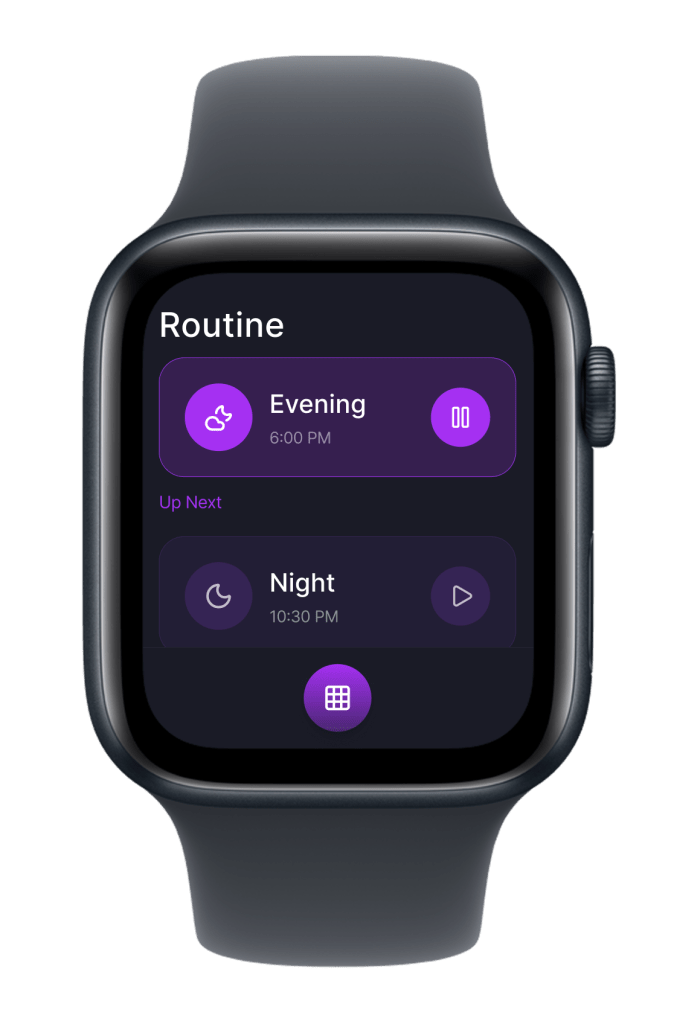
| Watch/wearable app – peripheral touchpoint | The watch is meant to sense the behavior of the user without having to manually control it at all times. It can collect heart rate and sleeping patterns to send to Apollo to adapt for the set routine. Haptic feedback increases as it reaches the alarm set. Simple visual cues, call to actions for the user to easily confirm, or pause the routine. The atmosphere alters based on the user’s metrics (ex: heart rate increases during sleep, so increase white noise until reduced). Tap gestures to turn off the alarm and trigger the morning routine or to get ready for bed. Voice control to command Apollo with ease. User can pause routine, still see alerts, log, and view metics, but in a much more reduced form and used for quick glances. | Platform: WatchOS Sensors: Heart rate, sleep data, oxygen, amd movement. Software: App must be installed on the phone Features: Continuously collects biometrics to adapt, create smooth transitions and notifications, pause, agress/dismiss suggestions, and other reduced info. Requirements: Mobile app installed and wifi |
| AI agent (conversation AI interface) | Empathetic and soft-spoken guidance to answer the user’s commands and work together for a seamless experience. Apollo helps simplify the process and can work through sessions of conversation verbally or through messaging. Apollo can greet the user when the morning routine is triggered, stating the time, temp, air quality, traffic, and actions that will be conducted for the morning. Apollo provides analytics based on data collected. If concerns arise based on biometrics or other changes, Apollo will offer options to alter the routine, which the user can grant permission for. It can also have sound cues for certain tasks without having to completely speak, such as a soft ring to trigger a routine. Apollo can only engage in reasonable times and not during the night unless spoken to. | Software: Apollo AI LLM Features: Natural language and timely responses through chat or voice control Requirements: Wifi |
| Human-in-the-loop | Apollo and the user work together as Apollo focuses on optimization, adaptability, and automation. The user has oversight to correct, modify, and refine the process. Apollo has a log where the user can override or view each action it conducts, from subtle changes to bigger ones that the user consented to, including any modifications from the user. The user can set boundaries and give permission to reduce the concern of monitoring/surveillance. The user can set a routine for it to follow, from a morning mode to saving energy mode when away from home. Apollo provides suggestions on bigger changes based on the user’s routine, location, or biometrics in which the user can approve through the app. It can make small adjustments in real-time, while the user can override or even pause Apollo altogether. | Security: All data collected is encrypted and stored securely in the Apollo cloud. Privacy settings are managed in the app, in which the user has total control, manages, and authorizes what Apollo collects, actions, and when it comes to connecting to other devices |
Solution
Apollo Primary Intelligent Hub

Mobile App
Watch
Demo
A walkthrough of Apollo’s immersive ecosystem. From waking up in the morning to getting a good night’s rest.
Reflection
Consistency is very important when developing across devices. Not only is it crucial to follow a coherent UI layout, but to also consider how devices interact and connect with one another. AI can be used better to meaningfully solve concerns in the ecosystem by becoming more personalized, setting goals and preferences in which Apollo can automatically create a routine and modes rather than the user starting from scratch. In addition, accessibility, the interface might be easy for many to navigate, but can be hard for others, so AI can be used to help make better UI adaptations, such as stronger contrast, bigger text, simplification, or provide proper guidance when interacting. The ethical implications of Apollo can be invasion of privacy through collecting and analyzing users’ metrics, the AI having control over other smart devices, and possible misinformation, inaccuracies, or poor predictions when Apollo provides suggestions/ summaries. There are areas in which Apollo can be more human-centered through feedback and offering human customer support when concerns arise. Areas where Apollo can be more intelligent is being able to adapt when there are multiple users under one household, or times when user changes their routine completely. A constraint I’ve come across is the reliance on other smart devices, such as lights and speakers, to enhance the experience. One key trade-off is limiting what the main hub can display and do on its own.
 MARLEN SARMIENTO