
Vibe Coding Case Study
Overview
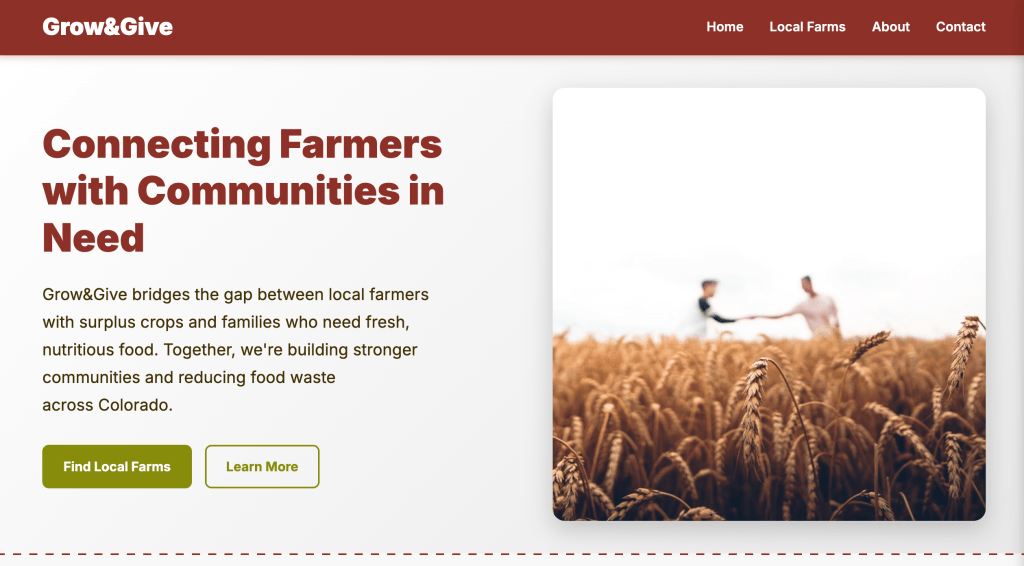
Designed a website, called “Grow&Give,” about local farmers giving away their unsold produce using natural language prompting and Cursor. Vibe coding is a practice in which designers work with AI to develop a site or app by generating code based on the prompts given. There are advantages and disadvantages when it comes to vibe coding, with it being beneficial in creating a basic layout and prototypes, but drawbacks when working with more complicated structures and processes.
Design Process
Initial Direction
Generated a website where local farms in Colorado can post their farms and contact information to give away their crops. The initial prompt is as follows:
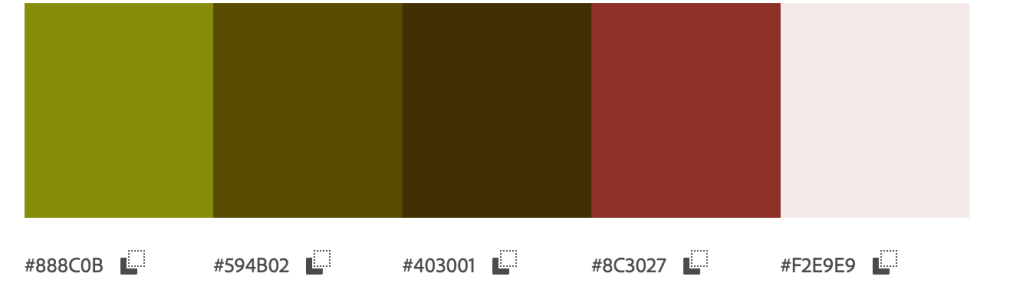
Create a website for local farmers to donate their unsold crops to those in need. Called “Grow&Give” and should follow this color palette, expressed in the attached image (above). Look at @https://www.farmers.gov/ and @https://farmland.org/ for references on the layout. The titles and headings should be bold sans serifs and heavyweight. The homepage should display a brief description of who we are with an image of a farm, and then list local farms in Colorado that want to give away their remaining crops.
Version 1:
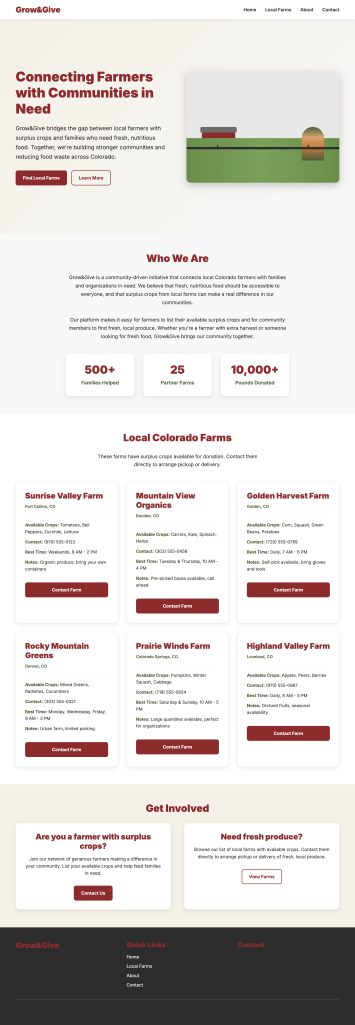
It generated a basic layout consisting of a brief introduction of the company, its impact, listed farms, and contact information. The buttons redirect the user to certain areas of the home page. The image generated looks abstract, the site is not fully responsive, some buttons don’t align with one another, and when contacting a farm, the site asks the user to open FaceTime. There are also areas that don’t have enough contrast, unusual spacing, and lack clear indicators when hovering over.
Revisions
I first adjusted the color palette, extracting from the original image I provided, and prompted the cursor to adapt them. It still didn’t fully use the colors, so I then started to specify what exact areas needed to change, such as the navigation bar and buttons.
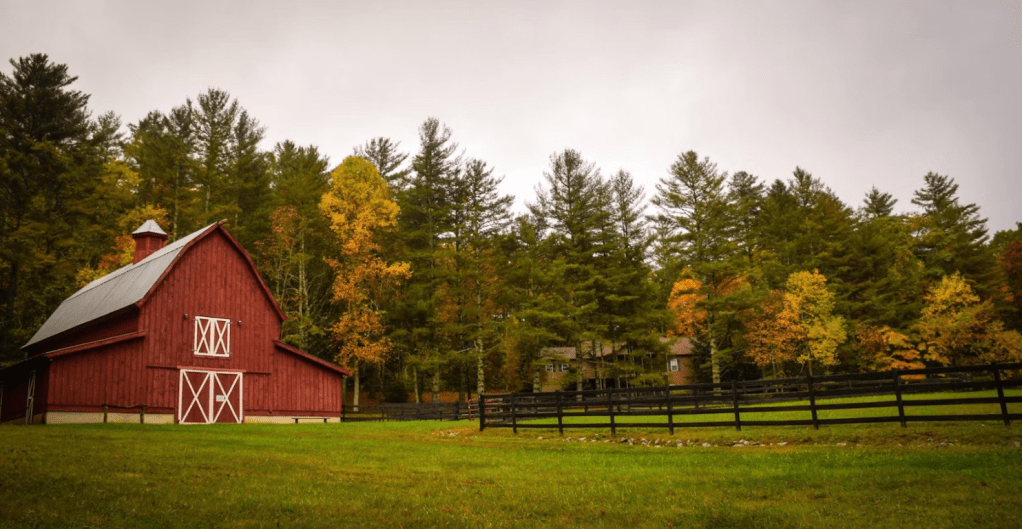
I then prompted it to add imagery and even asked to use the image I provided; however, it wasn’t able to. In addition to viewing the HTML code, I was able to see the alt text it gives to each of the images, which doesn’t match. For example, the alt text for Golden Harvest Farm is “Golden Harvest Farm – Corn fields and farm equipment,” while depicting a pathway in a garden. Nevertheless, I’m able to manually change the code if needed, as well as replace the image entirely.
Made more adjustments using prompts, I divided the sections with dashed lines, have the links in the navigation menu be underlined when hovering, aligned buttons, and corrected the lack of contrast in the footer. I also fixed the contacting farms section, where it opens a panel on the side to allow users to fill in their information and message, and a confirmation page when submitting.
Version 2
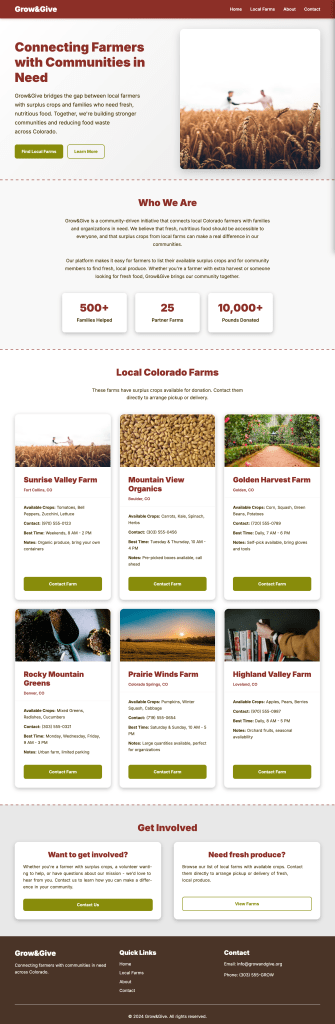
Demo of the Site
Final Thoughts
What did Cursor Accelerate?
Cursor accelerated the layout and coding process. It was able to generate a website, even if it was a basic structure; it created a template to build from. It can help on areas that feel redundant and time-consuming as designers focus more on research and other areas of work. It is also beneficial to have basic coding knowledge to read HTML and CSS files that were created, where developers and/or designers can work on and modify.
What did Cursor Slow Down?
Cursor slowed me down in terms of wanting to create complex layouts, making adjustments, and checking if it meets accessibility standards. It often took a few prompts to fix a particular issue. For example, when changing the image at the top of the page, it became very small. I tried telling Cursor to fix it, and it either made it too big or didn’t change it at all. Next, the confirmation pop-up when sending a message to a farm stopped working. Last but not least, when trying to fix the color contrast in the footer section, it would confirm that it did when it didn’t, which required me to paste the exact text I needed changed. There were moments when I would like to make changes on the page by clicking and dragging, but I had to either ask Cursor or look at the code.
What would I do differently?
If I had more time, I would like to see if I can create my page(s) on sites like Figma, where they can be transferred to Cursor, and make adjustments that way. I would like to add more pages to the site, such as a search or filtering option that would redirect users to a longer list and expand to different states that users can search for.
Overall, vibe coding is an interesting and intriguing practice, especially for small projects and prototypes. It should be used as a tool rather than being fully reliant on it, as it still needs insight, guidance, and maintenance from designers and developers for very complex systems.
 MARLEN SARMIENTO